

Platform compatibility
Set up the control
1
Go to MDM > Controls > Add new control
Select Enforce minimum OS version.
2
Choose when to force the update
Select when devices should be forced to update relative to when the OS update becomes available:
- 1 month after the OS update is available
- 1 week after the OS update is available
- 1 day after the OS update is available
3
Set the enforcement time (macOS only)
Choose the time of day at which the update is enforced on macOS devices. This uses local device time.
4
Set the grace period (Windows only)
Configure the number of days employees have to update before the device automatically restarts to apply the update.
5
Select targeting
Choose which devices to apply the control to: all devices, specific device groups, or a custom target.
How it works
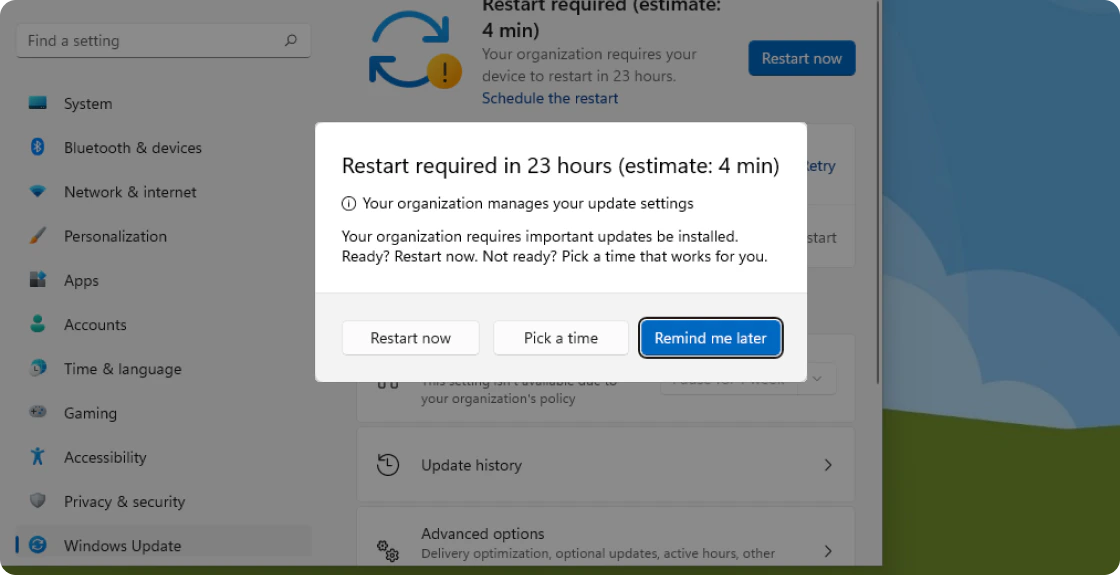
When a minimum version is enforced, employees are prompted to update their OS according to the deadline and notification behavior described below.The deadline applies from the update availability date, not the date the policy was configured. If employees are already on an older version when the policy is enabled, they will be prompted to update immediately.
- macOS
- Windows
macOS 14 and later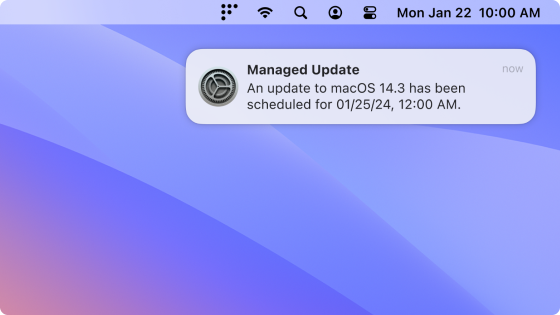
macOS 13 and earlierEmployees are prompted via Nudge.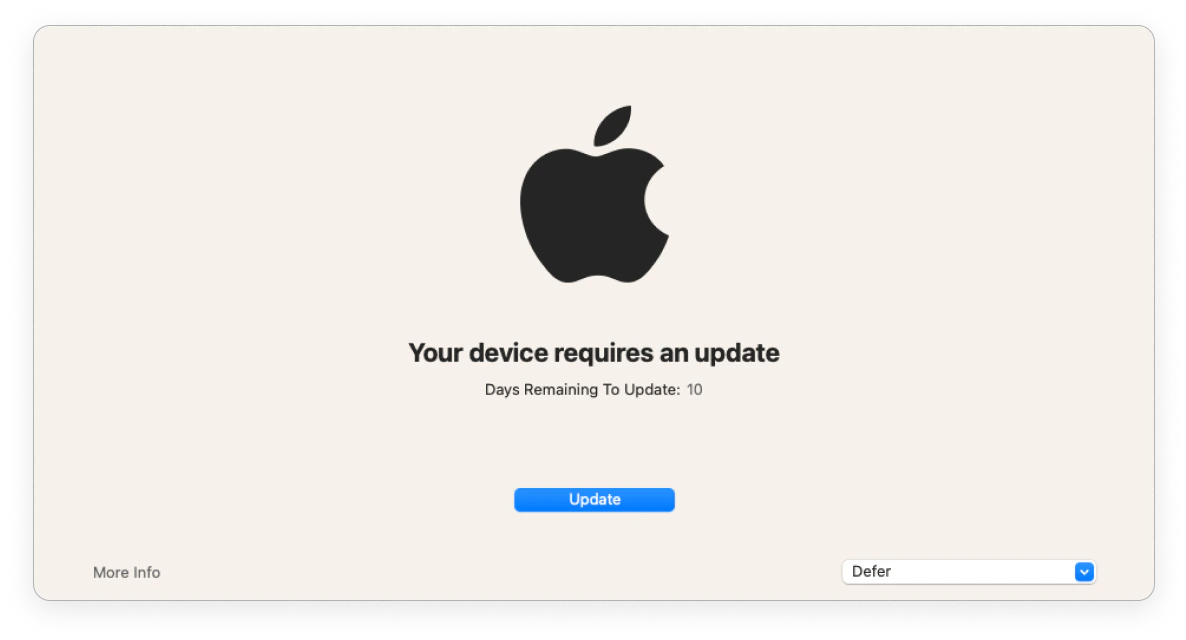
- 24 hours before the deadline — notification appears hourly and ignores Do Not Disturb
- 1 hour before the deadline — notification appears every 30 minutes, then every 10 minutes
- If the device was off when the deadline passed — the update is scheduled for 1 hour after it turns on
macOS 13 and earlierEmployees are prompted via Nudge.
Modify or remove the control
Open the control from MDM > Controls to edit or disable it. Disabling stops enforcement but does not remove existing configurations from devices.Troubleshooting
Low disk space
- macOS 14+ — the employee sees a system notification and a warning in System Settings. They must free up space to stop the prompts.
- macOS 13 and earlier — the Nudge window appears and directs employees to System Preferences, where the download will fail. The Nudge window cannot be dismissed after the deadline until the update is installed.
- Windows — the employee is notified that the update failed and must free up space to proceed.